
b333 Puts 1,400 Games
and Fast Withdrawals
on Your Phone
Deposit with bKash or Nagad from ৳400. Play slots, live tables and cricket markets. Withdrawals processed in about 25 minutes, 24/7.
- 18+ Only
- SSL Encrypted
- 24/7 Support
- bKash & Nagad
- Game Providers
- 5
- Min Deposit
- ৳400
- Bonus Up To
- ৳25,000
- Withdrawal
- ~25 min
Top Picks
App v3.6.15 · Free · 41 MB · Android 8.0+
Three Ways to Get in and Play
Pick the option that fits your phone. All three connect to the same account and wallet.
Android App (APK)
Works on Android 8.0 and above. Download the APK directly from our site, install it in a few seconds and you are ready. The app is 41 MB and free — no Play Store needed. You get push alerts for deposits, withdrawals and new promotions straight to your lock screen.
Get the Android AppiPhone and iPad (iOS)
There is no App Store listing, but the b333 web app installs as a home-screen shortcut on any iPhone running iOS 14 or later. Open the site in Safari, tap Share, then "Add to Home Screen" — it works like a native app. Our iOS guide walks through every step.
iOS Setup GuideBrowser (Web Version)
Prefer not to install anything? Open b333 in any browser — Chrome, Firefox, Samsung Internet. The web version loads the full lobby, your wallet, bonuses and live support. No download, no storage used. Log in with the same username and password as the app.
Open Web VersionWhat b333 Actually Offers
b333 is an online gaming platform built for players in Bangladesh who want to deposit and withdraw using local mobile money — without delays or complicated steps. The lobby covers slots from top Asian studios, live dealer tables and sports markets including cricket. Everything runs in the browser and in the Android app.
-
Over 1,400 games from studios including KA Gaming, CQ9, JDB, JILI and PG Soft — slots, live casino, crash games and card titles like Teen Patti.
-
Deposit from ৳400 using bKash, Nagad or Rocket. Funds reach your account in about 6 minutes. Withdraw a minimum of ৳1,000 and expect it in roughly 25 minutes.
-
24/7 live chat in the app and on the web. Write to support any time — day or night, before a match or during a session.
Version Details and Direct Download
| Current Version | 3.6.15 |
| File Size | 41 MB |
| Minimum Android | Android 8.0 |
| Last Updated | 21 November 2026 |
| Price | Free |
| Platform | Android (APK direct install) |
Scan to download on Android
After downloading, go to your phone's Settings → Security and allow installs from unknown sources. Then open the APK file to install. See the App Install guide if you run into trouble.
Games Running Hot Right Now
View AllThe b333 lobby has over 1,400 titles. Here are eight that players open the most. Tap any card to register and play.

Mines
CQ9 · RTP 95.6%

Aladdin
JDB · RTP 97.4%
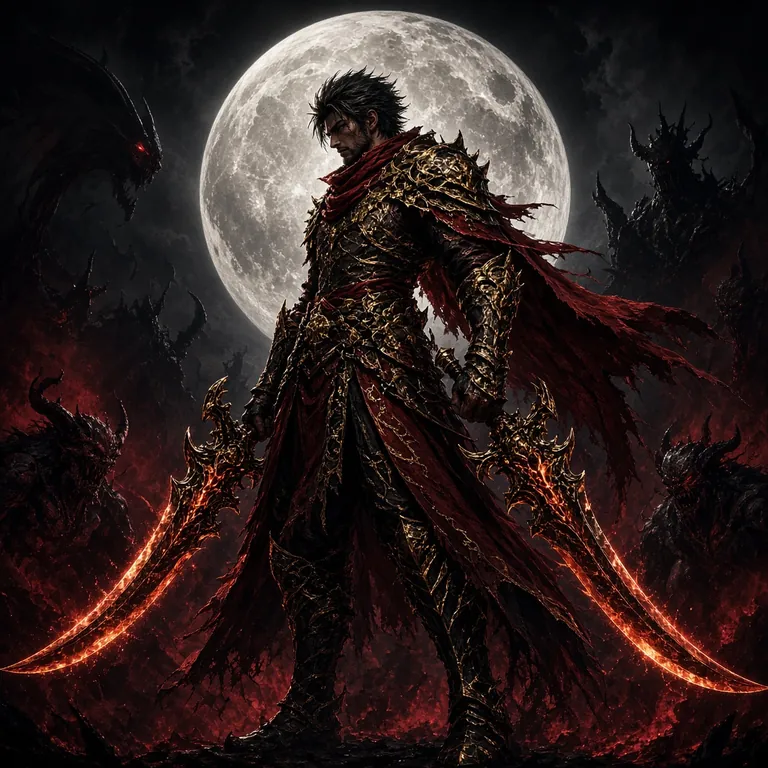
Demon Hunter
KA Gaming · RTP 96.6%

Fortune Bingo
PG Soft · RTP 95.5%

Ways of the Qilin
JILI · RTP 96.0%

Diamond Tycoon
KA Gaming · RTP 96.6%

Pappu
CQ9 · RTP 96.6%

Big Hammer
CQ9 · RTP 95.9%
Minimum bet starts from ৳1. All games load in the browser and in the b333 Android app.
Install the b333 APK on Your Android Phone
Android phones block APK files from unknown sources by default. Here is how to get around that in four steps. The whole process takes under two minutes. Your phone needs Android 8.0 or higher.
-
1
Allow Unknown Sources
Open Settings on your phone. Go to Security (or Privacy on some models). Find "Install unknown apps" or "Unknown sources" and turn it on for your browser or file manager. On Android 8+, this setting is per-app, not global.
-
2
Download the APK File
Tap the Download button on the b333 App page. Your browser saves the file to the Downloads folder. The file is 41 MB, so it finishes in seconds on a 4G connection.
-
3
Open and Install
Open your Downloads folder and tap the b333 APK file. A prompt asks for permission to install. Tap Install. The process takes about 10 seconds. When finished, you will see "App installed."
-
4
Log In or Register
Tap the b333 icon on your home screen. If you already have an account, enter your phone number and password to log in. New here? Tap Register, fill in your phone number and set a password — takes under a minute.
-
5
Deposit and Claim Your Bonus
Go to Wallet, tap Deposit, choose bKash or Nagad, enter ৳400 or more and confirm. Your first deposit unlocks the 150% welcome bonus up to ৳25,000. Funds usually arrive within 6 minutes.
Having trouble? See the full App Install troubleshooting guide for common error messages and fixes.
Bonuses You Can Claim at b333
Four bonus types are live right now. Each has clear conditions so you know exactly what to expect before you deposit.
| Bonus | Rate | Cap | Wagering |
|---|---|---|---|
| Welcome Bonus First deposit only |
150% | ৳25,000 | 8× bonus |
| Reload Bonus Every subsequent deposit |
20% | Varies | 8× bonus |
| Daily Cashback Returned on net losses |
1.1% | No cap | No wagering |
| Referral Bonus Per qualifying friend |
Flat | ৳475/referral | Conditions apply |
Minimum deposit for the welcome bonus is ৳400. Wagering applies to bonus funds only. Valid for 7 days after the deposit. Register now to get the welcome offer.
Fund Your Account via Mobile Wallet
Deposits reach your b333 wallet in about 6 minutes. Use bKash or Nagad through the app transfer or the USSD dial code — both work. Always save your TrxID (transaction ID) until the balance updates.
Launch your mobile money app and tap Send Money.
Find the deposit agent number shown inside your b333 wallet. This number changes from time to time, so always check inside the app before sending.
Enter the amount you want to deposit — minimum ৳400. As an example, sending ৳1,000 as a first deposit would unlock ৳1,500 bonus on top. Confirm with your PIN.
The confirmation screen shows a TrxID. Copy it or take a screenshot. Keep it until your b333 balance updates (usually under 6 minutes).
Open the b333 app, go to Wallet → Deposit, choose your method, paste the TrxID and tap Submit. Balance updates automatically.
For bKash dial *247#. For Nagad dial *167#. For Rocket dial *322#. These codes work on any mobile network in Bangladesh.
Navigate the menu to Send Money. Enter the deposit agent number shown in your b333 wallet.
Type the amount (minimum ৳400) when prompted. Confirm with your mobile banking PIN. You will receive an SMS confirmation.
The confirmation SMS includes a TrxID. Write it down or keep the message until your b333 balance shows the deposit.
For a full picture of deposit options see the b333 Deposit Guide. Bank transfer is also available for larger amounts.
What the App Lets You Do
The app covers the full platform in a lightweight 41 MB install. Here is a quick look at the main things you can do from your phone.

-
One-Tap Login
Save your credentials and get straight into the lobby. No browser redirects, no slow loading screens. The app opens in under two seconds on a 4G connection.
-
Deposit and Withdraw
Send and receive money through bKash, Nagad, Rocket or bank transfer without leaving the app. Deposits from ৳400, withdrawals from ৳1,000 — daily limit up to ৳85,000.
-
Full Game Lobby
All 1,400+ games load in the app — slots, live dealer rooms, crash games, fishing and card games including Teen Patti. Filter by provider or game type.
-
Live Sports and Cricket
Bet on cricket matches including BPL, IPL and T20 internationals, plus football and other sports. Live in-play markets update in real time during the match.
-
Push Notifications
Get alerts when your deposit lands, your withdrawal is processed or a new promotion goes live. Turn specific alerts on or off in app settings.
-
Live Chat Support
Tap the chat icon to reach a support agent any time, day or night. The team handles deposit questions, bonus queries and technical issues — all inside the app.
Why Players Choose b333 for Daily Play
Local Payments, No Hassle
Deposit with bKash, Nagad, Rocket or bank transfer — the four methods Bangladeshi players already use daily. No international card needed. Minimum deposit is ৳400 and funds land in your account in roughly 6 minutes.

Withdrawals That Actually Arrive Quickly
Your first withdrawal may take up to an hour while the account is checked. After that, withdrawals typically process in about 25 minutes. Daily limit is ৳85,000. Minimum is ৳1,000.
Payments at a Glance
- bKash Deposit ~6 min
- Nagad Deposit ~6 min
- Rocket Withdraw ~25 min
- Bank Transfer Withdraw ~25 min
Game Studios in the Lobby
All five studios are known for fair RTPs and mobile-optimised titles. Games are tested by the providers' own certification labs.
Keep Gaming in Check
Gaming is for entertainment. Set a budget before you play and stop when you hit it. If you feel like it is getting out of control, use the self-exclusion tools or contact our 24/7 support team.
Decide how much you can afford to lose before each session. Never chase losses.
Set a time limit for each session. Take breaks between rounds.
Ask support to set deposit limits or a cooling-off period on your account.
Only adults aged 18 and above may register and play. Please play responsibly.
Read our full Responsible Gaming policy for tools and resources.
Answers Before You Download
1 What is b333 and what does it offer?
b333 is an online gaming platform for players in Bangladesh. It offers over 1,400 games including slots, live dealer tables, crash games and sports betting — all accessible in the browser or through the Android app. You deposit and withdraw using bKash, Nagad, Rocket or bank transfer. The platform supports 24/7 live chat so you can get help at any hour. b333 is designed to work smoothly on mobile connections and low-spec Android phones, not just flagship devices.
2 Where do I find the official b333 website and login page?
The official website is b333.team. The login page is at b333.team/b333-login/. If you have the app installed, tap the b333 icon on your home screen and the login form opens right away. Bookmark the site or save the app to avoid ending up on a copy site. We do not send login links by SMS — if you receive one, it is not from us. The official b333 login page is the only entry point we support.
3 How do I log in to my b333 account?
Open the app or go to the website and tap Login in the top right corner. Enter your registered phone number and password, then tap the Login button. If you forgot your password, tap "Forgot Password" and follow the SMS reset steps. If the page does not load, check your internet connection — the app works on 4G and Wi-Fi. Two-factor verification may be required for new devices. Contact live chat if you are locked out after multiple attempts.
4 Is b333 safe to use?
b333 uses SSL encryption on all pages so your login details and payment data travel securely. Withdrawals go back to the same mobile wallet you deposited from, which prevents payouts to unverified accounts. Customer data is not shared with third parties except as required for payment processing. The APK file is published only on the official site — do not download it from other sources. For account security, use a unique password and do not share it with anyone.
5 Where do I download the b333 APK?
Download the APK from the official b333 App page at b333.team/b333-app/. The current version is 3.6.15, the file is 41 MB and it is free. Do not download from third-party app stores or Telegram groups — those files may be modified. After downloading, open the file from your phone's Downloads folder. If your browser blocks it, tap "Keep" or "Download anyway" and proceed with the install.
6 The APK install is failing — what should I check?
Three things cause most install failures. First, check that "Install from unknown sources" is enabled for your browser or file manager in Settings → Security. Second, make sure you have at least 100 MB of free storage — 41 MB for the file plus room to unpack. Third, confirm your Android version is 8.0 or above by going to Settings → About Phone → Android Version. If you still see an error message, the full App Install guide lists common error codes and fixes.
7 Can I use b333 on an iPhone?
Yes, but there is no App Store download. On iPhone, open b333.team in Safari, tap the Share button at the bottom of the screen, and choose "Add to Home Screen." This creates a shortcut that opens the site in full-screen mode, similar to a native app. It works on iOS 14 and later. The full game lobby, wallet and live chat are all available through this method. See the b333 iOS guide for step-by-step screenshots.
8 How do I update the b333 app to the latest version?
The app checks for updates automatically when you open it. If a new version is available, a banner appears with a one-tap update button. You can also update manually: download the latest APK from the App page, install it over the existing version — your account data and wallet balance are not affected. You do not need to uninstall the old version first. Current version is 3.6.15, updated on 21 November 2026.
9 How much storage and data does the b333 app use?
The APK itself is 41 MB. After install, the app uses about 55–70 MB of storage including cached data. Games stream from the server rather than downloading locally, so storage use stays low over time. For mobile data, a typical slots session uses roughly 5–8 MB per hour. Live dealer games use more — around 30–50 MB per hour depending on video quality. You can lower data use by selecting a lower stream quality in the app's video settings.
Ready to Start Playing?
Download the app or open b333 in your browser right now. New accounts get a 150% bonus on the first deposit, up to ৳25,000.